


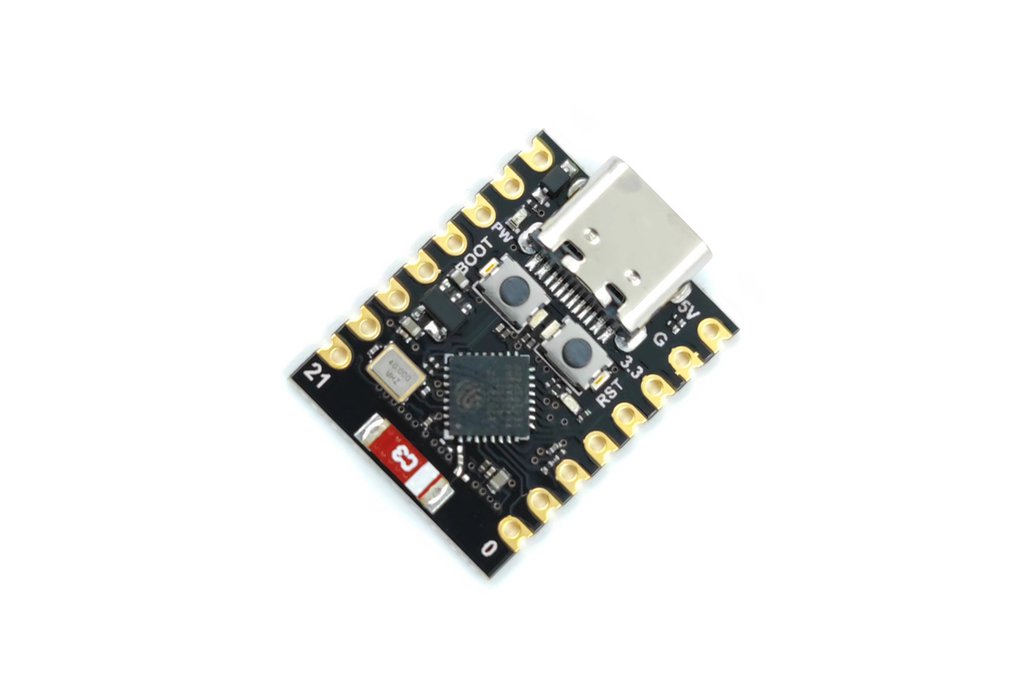
ESP32 C3 SuperMini COM53, R38
DescriptionThe ESP32 C3 SuperMini is an loT mini development board based on the Espressif ESP32-C3 WiFi/ Bluetoot hdual-mode chip. The ESP32-C3 is a 32-bit RISC-V CPU that contains the FPU (floating point unit) for32-bit single-precision operations with powerful computing power. It has excellent F performance and supportsIEEE 802.11b /g/n WiFi and Bluetooth 5 (LE) protocols. The board comes with an external antenna to enhance signal strength for wireless applications. It also has a small and delicate form factor combined with a single-sided surface mount design. It is equipped with a wealth of interfaces, with 11 digital I/ OS that can be used as PWM pins and 4 analog I/OS that can be usedas ADC pins. It supports four serial interfaces: UART, I2C and SPI. The oard also has a small reset button and a boot loader mode button. Combined with the above features, the ESP32C3SuperMini is positioned as a high-performance,lowpower,cost-effective iot mini development board for low-power iot applications and wireless wearable applications.Product parameter:Powerful CPU: ESP32-C3, 32-bit RISC-V single-core processor, running up to 160 MHzWiFi: 802.11b/g/n protocol, 2.4GhHz, support Station mode, SoftAP mode, SoftAP Station mode, hybrid modeBluetooth: Bluetooth 5.0Ultra-low power consumption: deep sleep power consumption of about 43uARich board resources: 400KB SRAM, 384KB ROM built-in 4Mflash.Chip model: ESP32C3FN4Ultra-small size: As small as the thumb (22.52x18mm) classic shape, suitable for wearables and small projectsReliable security features: Encryption hardware accelerators that support AES-128/256, hashing, RSA, HMAC,digital signatures, and secure startupRich interface: 1x12C, 1xSPI, 2xUART, 11xGPIO(PWM), 4xADCSingle-sided components, surface mount designOnboard LED blue light: GPIO8 pinConnect to WiFi network and Blink Builtin LED:Copy the Following code in the IDE#include <WiFi.h>const char* ssid = “YOUR_WIFI NAME HERE”; //your WiFi Nameconst char* password = “YOUR_WIFI PASSWORD HERE”; //your WiFi passwordint ledpin=8;void setup(){pinMode(ledpin,OUTPUT);Serial.begin(115200);delay(10);// We start by connecting to a WiFi networkSerial.println();Serial.println();Serial.print(“Connecting to “);Serial.println(ssid);WiFi.begin(ssid, password);while (WiFi.status() != WL_CONNECTED) {delay(500);Serial.print(“.”);}Serial.println(“”);Serial.println(“WiFi connected”);Serial.println(“IP address: “);Serial.println(WiFi.localIP());}void loop(){ digitalWrite(ledpin,HIGH); delay(1000); digitalWrite(ledpin,LOW); delay(1000);}After uploading, you will see the LED flashing on the board with a 1-second delay between each flashing.When using this module, you may encounter an issue where the port is not recognized or accessibleSolutionstep1: Press and hold down the BOOT button of ESP32C3 SuperMini ;step2: Press the Reset button;step3: Release the Reset button and then release the BOOT button;If you follow above steps, ESP32C3 SuperMini port instability issue will be handled.The program is not running after being uploadedSolutionAfter uploading the program ,you need to press Reset button to execute the upload.ESP32C3 SuperMini Serial monitor isn’t printing the outputSolutionSet the USB CDC on the toolbar to Enabled.ESP32-C3 SuperMini datasheet
Share on: