


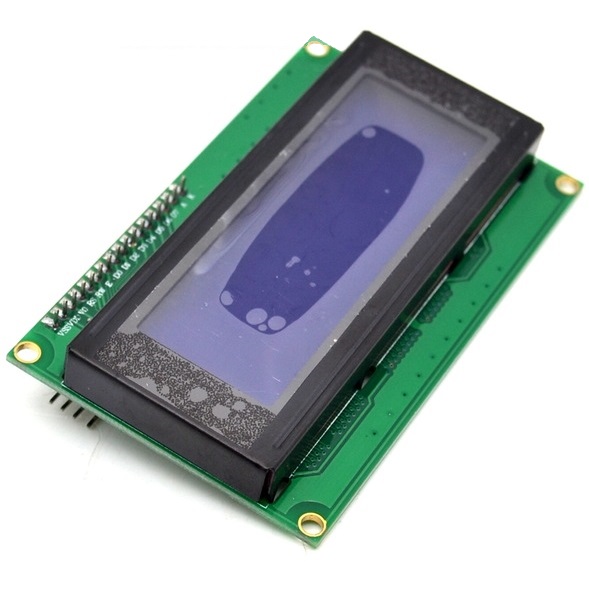
LCD 20X4 With I2C LCD Controller Module BX5,R11
DescriptionThis is a 20×4 Arduino compatible LCD display module with high speed I2C interface. It is able to display 20×4 characters on two lines, white characters on blue background.This I2C 20×4 LCD display module is designed for Arduino Microcontroller. It is using I2C communication interface, With this I2C interface, only 2 lines (I2C) are required to display the information on any Arduino based projects. It will save at least 4 digital / analog pins on Arduino. All connector are standard XH2.54 (Breadboard type). You can connect it with jumper wire directly.SpecificationDisplay: 4 lines x 20 charactersBacklight: Blue with white character colorLCD controller: HD44780Pin Definition: VCC/ GND/SDL and SCAContrast Adjust: PotentiometerBacklight Adjust: JumperDefault Address: 0x27, 0x3FWorking Voltage: 5VGetting Started With I2C Serial LCD 20X4Things you need to get startedI2C Serial LCD 20*4Male to Female Jumper wires (at least 4pcs)Arduino Uno with its USBI2C Module specificationPin ConnectionConnect Arduino pins to the I2C like this:GND: GNDVCC: VCCA4: SDAA5: SCLDownload and include LiquidCrystal_I2C library of Arduino which enables serial LCD 20×4 connect with Arduino.Get Testing CodeAfter adding the library, you are able to get a HelloWorld.io example. Go to Examples>LiquidCrystal_I2C>HelloWorld.Now you are almost done. Upload the code to your Arduino Board. You can adjust the varible resistor at the back of I2C module to see the text as you wish. You are also free to modify the code as I did.//Compatible with the Arduino IDE 1.0 //Library version:1.1 #include <LiquidCrystal_I2C.h> LiquidCrystal_I2C lcd(0x27,20,4); // set the LCD address to 0x27 for a 16 chars and 2 line display void setup() { lcd.init(); // initialize the lcd // Print a message to the LCD. lcd.backlight(); lcd.setCursor(3,0); //set to row 1(indexed by 0) and column 4 (indexed by 3) lcd.print("Hello, World!"); lcd.setCursor(0,1); lcd.print("I2C LCD 2004 Display"); lcd.setCursor(2,2); lcd.print("Kigali, KN 119 st"); lcd.setCursor(3,3); lcd.print("www.faranux.com"); } void loop() { }Package 1 x blue 20x4 LCD dispay with I2C Serial interface
Share on: