


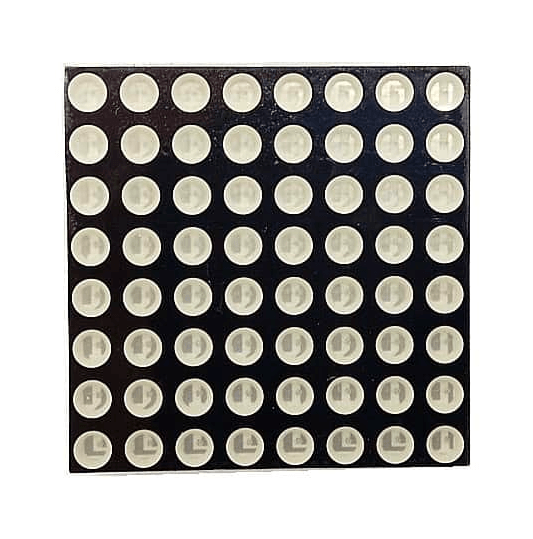
8*8 Mini Dot Matrix LED Display Red Common Cathode Digital Tube 16-pin 60mmx60mm COM53 ,R11
Description8*8 Mini Dot Matrix LED Display Red Common Cathode consists of 64 dots or pixels. There is a LED for each pixel and these LEDs are connected to total of 16 pin. The one with a label ending with AS is a common Cathode dot matrix.About 8×8 LED MatrixWith low-voltage scanning, 8×8 LED Matrix LED display have advantages such as power saving, long service life, low cost, high brightness, a wide angle of view, long visual range, waterproofness, and so on. They can meet the needs of different applications and thus have a broad development prospect.FeaturesPixel Color :Red ,PureSize:60x60mmPixel Diameter :5mm Led DiameterType : Common CathodeGetting started with the 8*8 Mini Dot Matrix LED Display Red Common Cathode Digital Tube 16-pinIn this lesson we are going to interface a single color 8×8 LED matrix with Arduino and display a few characters to experience its charm from the beginning.Hardware requiredArduino UNO8*8 Mini Dot Matrix LED Display Red Common CathodeBreadboardJumper wiresConnecting the HardwareYou can identify the pin out diagram of it using the following figure.Below is the internal structure. You can see that in the common Cathode dot matrix, ROW is the cathode of LED and COL is the anode.Here’s a matrix of the pin connections, based on the diagram above:Matrix pin no.RowColumnArduino pin number15–1327–123–2114–31058–16 (analog pin 2)6–517 (analog pin 3)76–18 (analog pin 4)83–19 (analog pin 5)91–210–4311–64124–513–16142–715–7816–89Since the wiring of this experiment is a little complicated, we need to do it step by step. Upload the sample sketchCopy the example code below into an Arduino program.int C[] = {6,11,10,3,A3,4,8,9}; // 2-dimensional array of column pin numbers: int R[] = {2,7,A5,5,13,A4,12,A2}; unsigned char biglove[8][8] = //the big “heart” { 0,0,0,0,0,0,0,0, 0,1,1,0,0,1,1,0, 1,1,1,1,1,1,1,1, 1,1,1,1,1,1,1,1, 1,1,1,1,1,1,1,1, 0,1,1,1,1,1,1,0, 0,0,1,1,1,1,0,0, 0,0,0,1,1,0,0,0, }; unsigned char smalllove[8][8] = //the small “heart” { 0,0,0,0,0,0,0,0, 0,0,0,0,0,0,0,0, 0,0,1,0,0,1,0,0, 0,1,1,1,1,1,1,0, 0,1,1,1,1,1,1,0, 0,0,1,1,1,1,0,0, 0,0,0,1,1,0,0,0, 0,0,0,0,0,0,0,0, }; void setup() { // iterate over the pins: for(int i = 0;i<8;i ) // initialize the output pins: { pinMode(R[i],OUTPUT); pinMode(C[i],OUTPUT); } } void loop() { for(int i = 0 ; i < 100 ; i ) //Loop display 100 times { Display(biglove); //Display the “Big Heart” } for(int i = 0 ; i < 50 ; i ) //Loop display 50 times { Display(smalllove); //Display the “small Heart” } } void Display(unsigned char dat[8][8]) { for(int c = 0; c<8;c ) { digitalWrite(C[c],LOW);//use thr column //loop for(int r = 0;r<8;r ) { digitalWrite(R[r],dat[r][c]); } delay(1); Clear(); //Remove empty display light } } void Clear() { for(int i = 0;i<8;i ) { digitalWrite(R[i],LOW); digitalWrite(C[i],HIGH); } }Running ResultA few seconds after the upload finishes, you should now see a heart blink on the 8×8 LED matrix .
Share on: