


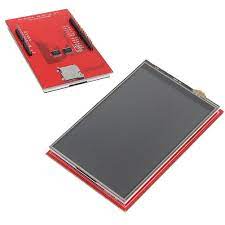
3.5 inch TFT LCD Display Touch Screen UNO R3 Board Plug and Play COM44 ,R18
Description Features:3.5inch TFT LCD Module, Resolution 480×320, Controller ili9481 ili9468, ili9488 hx8357, or r61581.Designed with a TF(Micro SD) card socket on the back of board so that you can conveniently insert a card.Support touch screen function.The test code is provided below.This kit requires certain professional knowledge and ability, make sure you know how to use it, please. We cannot provide any technical assistance.Specifications:Controller: ili9481 ili9468, ili9488 hx8357, or r61581Resolution: 480×320Voltage: 5V/3.3V Getting started with the 3.5 inch TFT LCD Display Touch Screen UNO R3 Board Plug and PlayTesting the TFT LCD 3.5 inch 480×320 Touch Screen with an Arduino Uno.Hardware requiredArduino Uno3.5″ TFT Touch screenConnecting the Hardwareconnect the3.5″ TFT Touch screen into the Arduino Uno. Go slowly and ensure that all pins are inserted correctly and are straight.Setting up the libraryYou can simply download and install library as shown below, by opening the sketch tab>include libary>manage librariesafter opening manage library wait a bit to search for libraries, after go to search tab type in “mcufriend” and install the library as shown belowUpload the sample sketchopen the sample sketch that is located in file>examples>MCUFRIEND_kbv>Button_Simple and upload it. as shown belowTesting the circuitOnce you upload this program you will see something like this on the screenif you click on, the color it changes
Share on: